
Moises: The Musician's AI App
Moises SystemsMusic & Audio
4.58.36K Reviews
- Version
- Varies With Device
- Installs
- 50.00M
- Age Rating
- Everyone
Screenshots

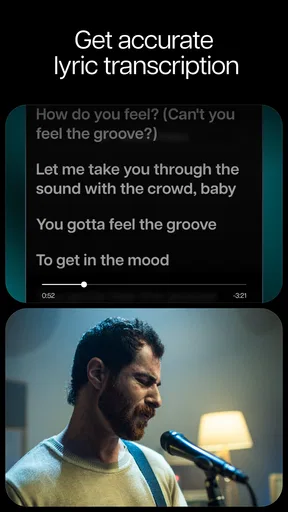
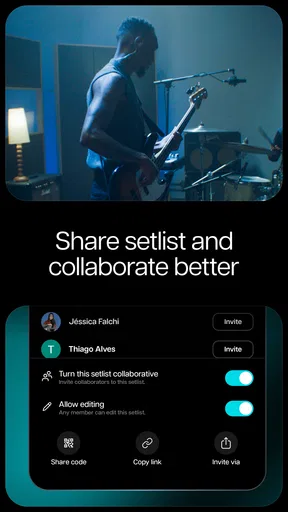
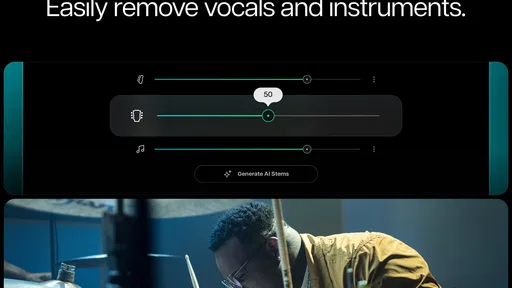
Our Review of Moises: The Musician's AI App
 Analysis by Appyee
I tend to judge music tools by what happens after the first burst of curiosity. Separating a familiar song into parts is instantly entertaining, but the real test is whether I return when I have a rehearsal, a melody to learn, or a troublesome passage to work on. Moises: The Musician's AI App has a convincing case for that longer-term role: it turns recordings into material I can actively practice with, rather than leaving them as tracks I only listen to.
That distinction matters most if you play or sing regularly. A beginner can use it to hear how a part fits into a full arrangement, while a more experienced musician may use it to work through a phrase at a manageable pace. I would not treat the results as a replacement for studio stems, though. The appeal is convenience and experimentation, not guaranteed access to perfectly clean, separately recorded instruments.
The first week: curiosity becomes a practice routine
My first instinct with a tool like this would be to pull up a song I know well and see what remains when one part is turned down. That is a useful test, but the more practical habit is to choose one specific goal before opening a track: learn a bass line, sing a chorus in a comfortable key, or keep time through a difficult section. Without a goal, it is easy to spend the session toggling parts and never actually practice.
For a realistic weekday example, imagine I have a short break before band rehearsal and want to check a guitar passage. I can use a slower playback to listen for the notes, then bring the speed back up and try playing along with the rest of the arrangement. If the original key is awkward for a singer, pitch adjustment offers another way to rehearse without changing the tempo. These controls are most useful as stepping stones; I would still revisit the passage at its normal speed before calling it learned.
The first-week thrill comes from hearing a song differently, but there is a useful listening lesson in that novelty. A separated part may reveal where a rhythm sits or how an instrument supports the vocal, yet the result can retain traces of other sounds. I listen for the musical idea rather than assuming every isolated stem is a pristine recording. That expectation makes the tool more rewarding and prevents a little separation noise from derailing practice.
Getting Started with Moises
So, first things first, getting started with Moises is a breeze. The app is available on both Android and iOS, and you can download it straight from the app store. Once installed, you're greeted with a clean and user-friendly interface. The setup is pretty intuitive, so you won't find yourself scratching your head trying to figure out what to do next.
Uploading your first track is as simple as pie. You can choose songs from your device, import from cloud storage, or even enter a URL to grab audio directly from the web. The possibilities are endless, which is perfect if you're like me and have a scattered music collection across different platforms.
In everyday use, I would keep a small practice queue rather than processing songs at random. Pick a handful of tracks tied to a real goal, such as a set list or a vocal warm-up, and return to those before adding more. That approach makes it easier to notice progress and keeps a growing library from becoming a pile of unfinished experiments. If I only need to check a section once, I would avoid turning that quick task into a project of organizing every song I own.
Features That Hit the Right Note
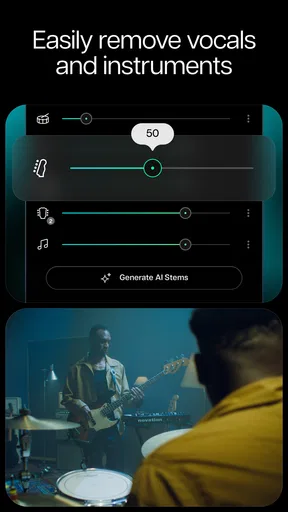
Now, let's dive into the features because that's where Moises really shines. The app uses AI to separate different elements of the music. You can isolate vocals, drums, bass, and other instruments with just a few taps. This is a game-changer for anyone looking to create karaoke tracks or practice with a specific instrument.
The separation workflow has a trade-off worth keeping in mind: changing or removing a part is not the same as having the original multitrack session. If two sounds overlap in the mix, the extracted result may not be as clean as you hoped. I use an isolated part to focus my ear, then switch back to the full arrangement to check whether I am matching the song’s feel and timing. For studying an arrangement, that back-and-forth is often more useful than listening to a stem on its own for the whole session.
The tempo and pitch control feature is another big win. You can slow down a song without affecting its pitch, which is perfect for practicing those tricky solos. Alternatively, you can change the pitch without altering the tempo. This is super helpful if you need to adjust a track to better suit your vocal range.
A small but effective practice trick is to slow only enough to make a passage playable, rather than dropping the speed so far that the rhythm feels unrelated to the real performance. I would first listen at the original pace, work through the passage more slowly, and then increase the speed in stages. For singers, pitch shifting can help explore a comfortable key, but it is still worth checking the melody against the original before deciding a transposed version suits a performance.
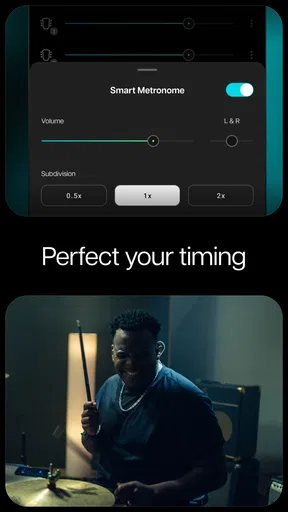
One of the coolest features has to be the metronome synchronization. I mean, how many times have you tried to practice along with a track and wished you had a metronome to keep you on beat? Moises solves this by allowing you to synchronize a metronome with any song. It's like having a personal practice assistant!
This is especially handy when I am learning a part that sounds loose or syncopated: a steady reference can help me separate the pulse from the notes. It is not a substitute for listening closely to the drummer or learning how the band phrases the beat, so I would use it as a check rather than letting the click dictate every musical choice. That balance keeps practice from becoming mechanically accurate but lifeless.
Month-to-month value: useful when music is already a habit
The app makes the strongest long-term case for people who repeatedly work with songs. A singer preparing material, a guitarist learning covers, or a teacher demonstrating how a part fits into an arrangement can all have reasons to return. The value is less obvious if I rarely practice or mainly want a one-time karaoke edit. In that case, the initial novelty may be enough, and a separate audio player or a straightforward practice routine could be simpler.
Compared with the usual alternatives, the main difference is that a conventional music player lets me replay a track but not actively reshape what I hear. A dedicated recording or editing program may offer deeper control, but it can also be more work than I need for a quick practice session. Moises sits between those approaches: it is more hands-on than playback alone, while not replacing a full production setup when precise editing or studio-quality source tracks are essential.
That middle ground also helps answer whether the app is suitable for casual users. I think it is approachable for someone who wants to sing along or explore a favorite arrangement, but musicians will get more recurring value because they can connect its controls to specific practice tasks. If the goal is to produce a finished commercial mix, I would choose a dedicated audio workstation instead and treat this app as a learning aid, not the final production environment.
User Experience: Smooth and Slick
As far as user experience goes, the app runs smoothly with minimal lag, even when processing complex tracks. The AI does a pretty solid job, although there might be occasional hiccups with some songs, especially those with complex arrangements. But hey, no AI is perfect, right?
That variability is one reason I would test a song that matters before building a whole practice plan around it. Dense arrangements can make separation less convincing, and some tracks simply lend themselves better to isolating parts than others. If the stem sounds messy, I can still use slower playback or pitch adjustment to work with the complete song; I just would not spend a long session trying to force a clean result from material that does not separate well.
There is also a difference between an app feeling easy and every task being effortless. Bringing in audio is a practical first step, but the usefulness of the result depends on choosing music I can access and on being willing to listen critically. I would keep expectations modest for any source that is already heavily layered or has several instruments occupying the same sonic space.
Moises is a free music-and-audio app from Moises Systems, and it has a 4.6 average from around 397,000 ratings, alongside more than 10 million installs. It is rated for Everyone and first arrived on November 30, 2020; version 2.114.0 lists Android 9 as the minimum operating system. Those details make it easy to see why it has reached a broad audience, but they do not tell me whether I personally need it every week. That comes down to whether I have songs I am actively learning.
Maintenance, limits, and the point where novelty fades
Keeping the app useful does not require turning it into a second music library. I would save or revisit only the tracks tied to current goals, and clear out the mental clutter by moving on when a song is no longer relevant. The recurring maintenance is mostly about making deliberate choices: which track am I working on, which part do I need to hear, and what will count as progress today? That simple routine makes the app feel like a tool rather than a novelty drawer.
There is a cost decision too. The app is free to start, with in-app purchases ranging from $3.99 to $299.99 per item. I would begin with the free experience and see whether the core workflow fits my practice before considering a purchase. Someone who only separates a song occasionally may not get enough repeated benefit to justify paying; a musician who returns to the same tools for regular sessions may value the added options more. The exact choice should follow how often I use it, not the excitement of a first experiment.
The most likely source of fatigue is expecting every song to become a perfect practice track. When separation is imperfect, repeatedly tweaking the same recording can drain time that would be better spent playing along with the full mix. Another fatigue point is feature-driven practice: it is easy to adjust speed, key, or parts without finishing a musical task. I get more from the app when I set a limit, such as learning a verse or checking one instrument, then put the phone aside and play.
Who should skip it? I would not recommend making it a priority if I only listen to finished music, need pristine stems for a release, or already have a production workflow that gives me better control. It may also be a poor fit for someone who finds audio analysis distracting and prefers to learn entirely by ear from the original mix. The best match is a curious musician who wants a convenient way to inspect songs and is comfortable treating AI separation as an aid rather than an exact reconstruction.
Wrapping It Up: Is Moises Worth It?
So, is Moises: The Musician's AI App worth the download? Absolutely. Whether you're a budding musician, a seasoned pro, or just someone who loves tinkering with tracks, this app has something for everyone. It's like having a mini recording studio at your fingertips, and that’s pretty darn cool.
If you're ready to take your music game to the next level, give Moises a shot. It's user-friendly, packed with features, and most importantly, it's fun to use. So go on, download it, and let your musical creativity flow!
My lasting verdict is a little more specific: I would keep it around if I had songs to learn, rehearse, or study month after month. The app’s strongest value is not the initial surprise of hearing a vocal or instrument on its own; it is the way that perspective can support a concrete practice habit. Start with one track and one goal, be patient when a complex mix does not separate cleanly, and judge the app by whether it helps you play or sing better. If that routine sticks, it earns its place. If it becomes an occasional experiment, the free starting point makes trying it low-commitment, but there is no need to force it into your everyday listening.
Verdict
Strengths of Moises: The Musician's AI App
- Intuitive interface simplifies music editing.
- AI-powered tools enhance music practice.
- Supports multiple audio formats for versatility.
- Offers real-time pitch and tempo adjustments.
- Cloud storage integration for easy access.
Limitations of Moises: The Musician's AI App
- Requires premium for full feature access.
- Occasional lag in processing large files.
- Limited offline functionality without premium.
- AI may struggle with complex audio tracks.
- Subscription can be pricey for casual users.
Similar Picks in This Category
View All
YouTube Music
Google LLC4.4

Samsung Music
Samsung Electronics Co., Ltd.3.8

Spotify: Music and Podcasts
Spotify AB4.3

JioSaavn - Music & Podcasts
Saavn Media Limited4.3

Lark Player:Music Player & MP3
Lark Player Studio - Music, MP3 & Video Player4.6

StarMaker: Sing Karaoke Songs
SKYWORK AI PTE. LTD.4.3
Frequently Asked Questions
What is Moises: The Musician's AI App?
Moises is an innovative app designed for musicians and music enthusiasts. It utilizes AI technology to separate music tracks, allowing users to isolate vocals, instruments, and other audio components. This feature is particularly beneficial for practice, remixing, or creating backing tracks. The app is available on both Android and iOS platforms.
How does Moises utilize AI to enhance music tracks?
Moises leverages advanced AI algorithms to separate music tracks into individual components. This allows users to isolate vocals, instruments, and other elements with precision. The AI processes the audio quickly and efficiently, providing high-quality results that enable users to manipulate tracks for practice, remixing, or performance.
Is Moises suitable for beginner musicians?
Yes, Moises is user-friendly and suitable for musicians of all skill levels. Its intuitive interface makes it easy for beginners to navigate and utilize its features. The app offers tutorials and support to help new users get started, making it an excellent tool for those looking to improve their musical skills.
What are the key features of Moises?
Moises offers a range of robust features including track separation, tempo and pitch control, metronome integration, and looping capabilities. Users can also adjust individual track volumes and remix songs effortlessly. These features make Moises a comprehensive tool for practicing, performing, and creating music.
Is there a cost associated with using Moises?
Moises offers a free version with basic features, but advanced functionalities may require a subscription. The premium version includes additional features such as unlimited track uploads and enhanced AI processing. Pricing details are available on their official website, and users can choose a plan that best suits their needs.
